Welcome to Android Advice and Tutorials.
Subscribe to our RSS Feed Follow Android Advice on Twitter Follow Android Advice on Facebook Find Android Advice on Google Plus Find Android Advice on YouTube Find Android Advice on Pinterest

Lookout Mobile Security has identified 26 new apps on the Android Market presumed to include the DroidDream malicious code that hit Android Market a few months ago. These 26 applications were found thanks to Android developers that noticed their apps being repackaged and uploaded to the Market under a different developer name. These developers notified Lookout Mobile Security who identified them as malware after putting the apps through their scanning software. After alerting Google, all 26 apps that were known to be infected were removed from the Google Android Market.

You can never beat common sense when installing anything onto your device but Lookout Mobile Security makes it so much easier. Always make sure to check exactly what permission newly installed apps are requesting BEFORE YOU INSTALL and not after. Although, I’ve also heard that apps don’t necessarily need to display all permissions they require if a developer doesn’t want it to.

Lookout Mobile Security QR Code

Scan to Download Lookout Mobile Security


Hopefully Google can start scanning the apps themselves as they are uploaded and require some sort of approval process. I’m not saying that they need to decide who can and cannot place their apps in the market, more of a quick check that the app doesn’t already exist and that there isn’t a flipping virus in it. I download apps from all over the place but those that only use the Google Market should be safe even those without common sense.

Whats the best Bittorrent Client For Android?
aDownloader is a native bit torrent (bittorrent) downloader for Android phones. You may search online torrent and or add torrent from local sdcard.  You may also use aDownloader as a HTTP downloader: In the Android browser, long press the link you want to download, select “Share link”, and select aDownloader to download.


aDownloader QR Code

Scan Code to Download aDownloader


Of course, download files will consume the battery very quickly and consume a lot of bandwidth, so this is to run only when you are connected to WiFi and probably also to the power supply.

Of all the Torrent downloaders available for Android, aDownloader is by far the most fully functional torrent client available.  Its free and unlimited, what more can you ask for.


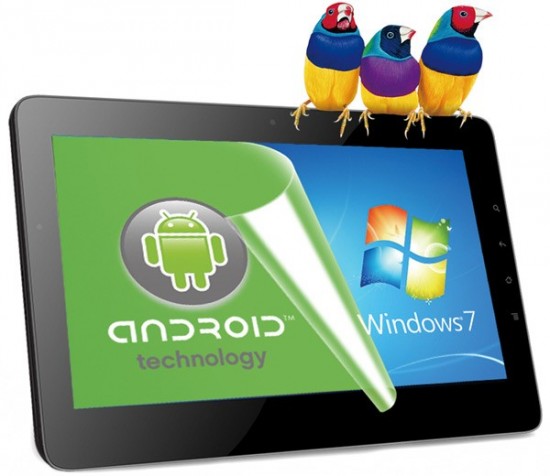
ViewSonic has unveiled many new tablets including their dual-boot ViewPad 10 Pro this year at Computex. The company unveiled their 10-inch, dual-booting Windows 7/Android 2.2 ViewPad 10Pro along with their 7-inch, dual-core ViewPad 7x with Honeycomb.

While being called dual-boot the ViewPad 10 Pro is really a Windows 7 tablet that runs a virtual Android Environment beside it. This makes it easy to switch between the two as required.

Viewsonic ViewPad 10 Pro features:

  1. 1.5GHz Intel Oak Trail Processor
  2. 32GB of storage
  3. 1080p playback
  4. 3500mAh battery (up to 4.5 hours of 1080p playback)

Personally I am a huge fan of Android (obviously) but do have a need for Windows when doing presentations and other business related tasks that are sent between myself and others.  This being said I am really looking forward to playing with one of these ViewPads.

Android 2.3 Gingerbread has only been out for a few months and it seems that some lucky Droid X users are receiving the update.  Those of you Droid X users that haven’t already received this Gingerbread update don’t worry your just not part of the test release.  According to other sources once Motorola has determined the update for Droid X is rolled out successfully with no bugs ( or very few bugs :) ) everyone else will get this update in phases.

There was no official release date that we found anywhere with Motorola although we have found a few locations that have mentioned this including Android Central.

Manually check for the update on your Motorola Droid X:

  1. Press your Home button to get to your Android home screen.
  2. Press your Menu button.
  3. Select Settings.
  4. Select About.
  5. Select System Updates.

If you start receiving anything, be sure let us know so we can report on it here to others interested in hearing more about this update.

UPDATE: All Droid X owners should be getting the Gingerbread update now

The T-Mobile G2x is one of T-Mobiles the more popular Android Phones of 2011 which they have had issues with of late. Many of its users are having issues that can be taken care of by simply rooting the phones and cleaning them up. If you are one of those that own and want to root your T-Mobile G2x we have the method below.

Root Instructions:

  1. Download the latest SuperOneClick.zip file to your Windows computer (download link)
  2. Extract the files from the .zip file into a new folder on your PC.
  3. turn on USB debugging (Settings -> Applications -> Development- > click USB Debugging)
  4. Plug your phone in to your PC via USB
  5. Open the folder with SuperOneClick and double click “SuperOneClick.exe”.
  6. Allow the process to run and enjoy being rooted.

We have not rooted the T-Mobile G2x’s ourselves but have seen many other users saying that this root method works. We are however not responsible for your use of this information and have to tell you that you assume all risks of following the steps above.


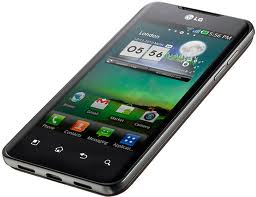
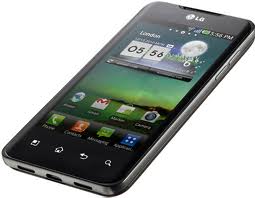
The LG Optimus 2X is one of the more popular Android Phones of 2011. With so many users talking about this smartphone there is no doubt that a root method would exist. We have played with this phone and think its a good phone for most Android fans. If you are one of those that want to root your LG Optimus 2X we have the method below.

Root Instructions:

  1. Download the latest SuperOneClick.zip file to your Windows computer (download link)
  2. Extract the files from the .zip file into a new folder on your PC.
  3. turn on USB debugging (Settings -> Applications -> Development- > click USB Debugging)
  4. Plug your phone in to your PC via USB
  5. Open the folder with SuperOneClick and double click “SuperOneClick.exe”.
  6. Allow the process to run and enjoy being rooted.

We have not rooted the LG Optimus 2X’s ourselves but have seen many other users saying that this root method works. We are however not responsible for your use of this information and have to tell you that you assume all risks of following the steps above.


SuperOneClick by far supports the most phones of any other root method available at this point.  While it may not be the best meted for your phone it probably supports it.  SuperOneClick was developed by shortfuse.org and supports over 25 phones including most HTC, Motorola, Samsung and Sony Android Phones.

Operating systems that SuperOneClick Currently Supports are:
Windows Vista, Windows 7, Ubuntu Hardy (8.04 LTS), Ubuntu Jaunty (9.04), Ubuntu Karmic (9.10), Ubuntu Lucid (10.04 LTS), Ubuntu Maverick (10.10), Debian Lenny (5.0), Debian Squeeze (testing), Debian Sid (unstable), Debian Experimental.

Please take note that if you are running Microsoft Windows XP, install .NET Framework v2.0 or above, and if you run a Mac or another Linux flavor, make sure you install Mono

The current compatable and tested phones are:
Acer Liquid Metal, Dell Streak, HTC Magic (Sapphire) 32B, HTC Bee, LG Ally, Motorola Atrix4G, Motorola Charm, Motorola Cliq, Motorola Droid, Motorola Flipside, Motorola Flipout, Motorola Milestone, Nexus One, Samsung Captivate, Samsung Galaxy 551 (GT-I5510), Samsung Galaxy Portal/Spica I5700, Samsung Galaxy S 4G, Samsung Galaxy S I9000, Samsung Galaxy S SCH-I500, Samsung Infuse 4G, Samsung Galaxy Tab, Samsung Transform M920, Samsung Vibrant, Sony Ericsson Xperia E51i X8, Sony Ericsson Xperia X10, Sprint Hero, Telus Fascinate, Toshiba Folio 100.  Keep in mind that just because the phone is not in this list does not mean that it doesn’t work just that it hasn’t been confirmed as working.

Root Instructions using SuperOneClick:

  1. Download the latest SuperOneClick.zip file to your Windows computer (download link)
  2. Extract the files from the .zip file into a new folder on your PC.
  3. turn on USB debugging (Settings -> Applications -> Development- > click USB Debugging)
  4. Plug your phone in to your PC via USB
  5. Make sure your SD card is unmounted (we recommend taking it out)
  6. Open the folder with SuperOneClick and double click “SuperOneClick.exe”.
  7. Allow the process to run and enjoy being rooted.

We have rooted many devices ourselves and have seen many other users saying that this root method works.  We are however not responsible for your use of this information and have to tell you that you assume all risks of following the steps above.


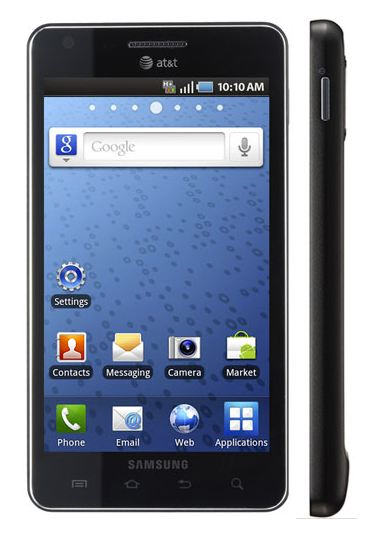
The Samsung Infuse 4G is by far one of the most popular Android Phones this year. With so many users of this smartphone there is no doubt that a root method would exist. We have played with this phone and think any power user of Android Phones would consider this as a choice. Of course anyone in the Android community that owns a phone like this will either want it rooted or already have it rooted. If you are one of those that want to root your Samsung Infuse 4G we have the method below.

Root Instructions:

  1. Download the latest SuperOneClick.zip file to your Windows computer (download link)
  2. Extract the files from the .zip file into a new folder on your PC.
  3. turn on USB debugging (Settings -> Applications -> Development- > click USB Debugging)
  4. Plug your phone in to your PC via USB
  5. Open the folder with SuperOneClick and double click “SuperOneClick.exe”.
  6. Allow the process to run and enjoy being rooted.

We have rooted two Samsung Infuse 4G’s ourselves and have seen many other users saying that this root method works. We are however not responsible for your use of this information and have to tell you that you assume all risks of following the steps above.

With the Computex trade show kicking off soon in Taipei, Ziilabs has put together a couple of Android based tablets they’re calling the Jaguar. This family of Honeycomb tablets is built specifically to showcase their new ZMS-20 and ZMS-40 StemCell processors and they’re hoping manufacturers will take notice.


Ziilabs Jaguar Tablet

Ziilabs Jaguar Tablet


The tablets will come in 2 versions:

  1. 7-inch (1024×600)
  2. 10.1-inch (1280×800)

Both featuring front and rear facing 5MP cameras. The real feature they want noticed is in Ziilabs’ StemCell processors. Both are based off of  the ARM Cortex A-9 platform and come in a dual-core (ZMS-20) and quad-core (ZMS-40) versions. We will be interested to see these up against some of the better known tablets like the new Motorola Xoom and Samsung Galaxy tabs.

We will keeo you updated as more information on these tablets come out.

According to a new report release by Citi on Microsoft say the software giant gets $5 for every HTC phone that runs on the Android platform. The report was released by Walter Richard a Citi analyst. Microsoft receives money from HTC as part of a patent settlement over intellectual property infringement.

In addition to getting $5 per HTC handset running Android, Microsoft is suing other Android manufacturers and is trying to get anywhere $7.50 to $12.50 per device. Android could end up being a big source of income for Microsoft if they win these settlements.

An analyst with Asymco named Horace Dediu believes that Microsoft has received five times more income from Android than from its own Windows Phone. Horace estimates the number of HTC devices sold with the Android OS at 30 million compared to the 2 million Windows Phone licenses Microsoft has sold to OEMs. Those 30 million HTC phones sold equates to $150 million in Microsoft’s pockets. With each license of their Windows Phone selling for $15 only putting them at $30 million.

First things first we are supporters of the mods, hacks, and roots found throughout not only our site but XDA and all others.  We feel as an owner of a device we should fully own it (seeing as we pay for it).  If you have the knowledge or can find it then you deserve the perks of using anything and everything the device can accomplish.

It provides security – both financially to your carrier, and to the end user.

When we say locked bootloader, what we mean (most of the time) is a disk image that checks the important parts of the phone as it boots up, looking for the proper signature.  Let’s break that down, as simple as we can.

When you turn on your phone, the bootloader gets things going, then passes off control to the boot image.  The boot image loads the phone’s kernel, then loads Android, following instructions found in those files.  You copy this boot image to a phone by flashing it to the phones internal system memory, not the RAM or running memory, but the physical flash storage in the phone. That’s why there’s a potential for danger. Screw this up, and you could really screw up your phone, turning it into a “brick.” Depending on how you’re hacking into it, that might be more than a mere possibility. It varies from phone to phone.  Some phones can avoid “bricking” their phones due to the fact that they have images of their default system setup available either on the phone or through the manufacturer (thank you motorola)

If you have a locked bootloader, you can only flash boot images that have been digitally signed with a string of information direct from the manufacturer.  You can’t build your own and flash it to the phone.  The recovery partition is the same way, it’s checked for the right signature, and if it doesn’t have it, you can’t write a new one to the flash memory.  This really only means one thing: We can’t load custom kernels or start-up files on phones with a locked bootloader.

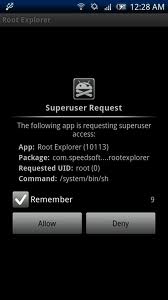
Gaining root access is still possible with a locked bootloader.  Root is just a security breach on a running system, then copying files that make it easy to break that security whenever needed to access any area you want.  Every Android phone can be rooted at this point almost days after release.

If all you can run on your phone is software that has been approved by both the manufacturer and the carrier, it’s easier for them to keep your phone secure and working as intended.  This would be the perfect solution, except that by the time they send out a security or bug fix, new issues have been found.  It’s a never-ending cycle, and locking the phone down to approved software helps the carriers and manufacturers administer it.  Most Android phone owners have no idea how to go about loading patches and fixes themselves, and carriers/manufacturers are supporting millions of phones not just yours.

And then there’s the monetary damage we can do to the carriers.  Yes, real damages.  PRL hacks that enable 3G roaming on Verizon towers with your mobile phone can cost Sprint money.  So does enabling HSPA + on some phones, bypassing T-Mobile’s data throttling, unauthorized wireless tethering, changing slot cycles, and removing Bing and taking away the traffic that was promised to Microsoft.  These policies seem unfriendly to us, but your cell carrier loses revenue every time you do any of it.