












Most Android users are somewhat tech savy otherwise you’d just get an iPhone right? So you’ve bought a Samsung Galaxy, Captivate, or Vibrant and want to run free tethering apps and cool file managers but have no idea how to root your phone to allow you to run these applications. Well here it is.
That said you may want to experiment with your Samsung Galaxy S or some of its variants like the Captivate or Vibrant and get root access on your phone.
PC Instructions
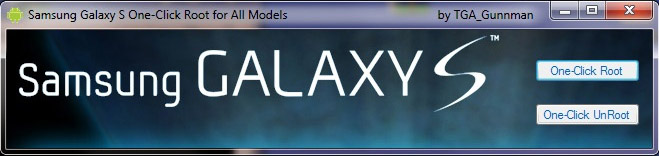
- Download the rooting application from (mirror link).
- you need to have .Net Framework version 4 – you can grab it from Microsoft’s website if you don’t have it already.
- Install Samsung Drivers if you don’t have them already – download link.
- Extract the contents of GalaxyS_Vibrant_One-Click_Root.rar to a folder.
- Connect your phone to your PC via USB port
- Make sure your phone is in USB Debug mode (MENU -> Settings -> Applications -> Development-> USB debugging = Checked )
- Launch the file “T-Mobile Vibrant One-Click Root.exe” file.
- Click the “One-Click Root” button.
Un-Rooting Instructions
If something goes wrong or you need to return your phone for some reason you can always un-root. The instructions are the same, except that in this case you press the “Unroot” button. It is suggested that you restore the phone back to stock ROM before even needing to unroot.
The process above has been tested on Samsung Galaxy S phones with Android 2.1 Éclair. The following versions of the device should work as well: GT-I9000 (the original Galaxy S), Captivate SHG-I897, Vibrant SGH-959, GT-I9000M and Epic SPH-D700 (untested but should work just fine).
Rooting adds few files to your system and unrooting removes them:
- /system/xbin/busybox (version 1.17.1)
- /system/xbin/su
- /system/app/Superuser.apk (version 2.3.1)
- and links /system/bin/su to /system/xbin/su
As always Android Advice is in no way responsible for any damage to your phone and you root your phone at your own risk. This article is for informational purposes only.
Original article can be found at http://forum.xda-developers.com/showthread.php?t=739304