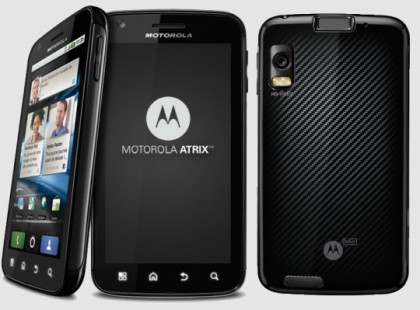
After updating your Motorola Atrix 4G to software version 4.5.141 you will lose root access. For those of you want to root your Motorola Atrix 4G after updating to build 4.5.141 this is how you do it.
Keep in mind that when typing in the commands during the rooting process you will leave out the quotes.
Instructions to root Atrix 4G running Gingerbread on 4.5.141:
- Download and Extract Fastboot Files to your C: drive (Download Link)
- Connect your phone to the computer via USB
- Put your phone in fastboot mode (restart phone holding volume down button)
- Open a command prompt and navigate to C:/moto-fastboot-win32
- type “moto-fastboot.exe flash preinstall preinstall.img” press enter
- Press “Vol Up” to initiate fastboot protocol
- type “moto-fastboot.exe reboot” press enter
- Your phone should reboot, wait for it to come back up
- type “adb shell” press enter (to restart the shell)
- type “/preinstall/dosu” press enter
- If step 10 fails type “/preinstall/su” instead and hit enter
- type “/bin/mount -o remount,rw /system” press enter
- type “cp /preinstall/su /system/bin/” press enter
- type “chmod 6755 /system/bin/su” press enter
- type “PATH=/system/bin:$PATH pm install /preinstall/Superuser.apk” press enter
- Reboot your phone
- Congrats you now have a rooted Atrix running Gingerbread.
Those of you that use this root method for your Atrix running 4.5.141 please let us know any issues you run into.
Related posts:


February 15th, 2012 at 2:51 pm
Question:
you said: “16.Congrats you now have a rooted Atrix running Gingerbread.”
4.5.141 is named Ice cream sandwich, right? Gingerbread is version 2.3.
Am I right?
February 15th, 2012 at 3:02 pm
4.5.141 is just the software version of the Atrix. The Atrix 4G is still on Gingerbread after the update. The Atrix will not be receiving Android 4 Ice Cream Sandwich until Q3 this year but is on the upgrade list from Motorola.
February 15th, 2012 at 4:28 pm
Seems to work just fine. Two comments –
1. typo on step 10, should say if step 9 fails.
2. make sure your phone is in USB Debug mode. for step 7
February 15th, 2012 at 6:05 pm
“If step 10 fails type “/reinstall/su” instead and hit enter”
Just a quick correction it needs to be “/preinstall/su”
(Also, it’s step 9, but that’s nitpicky)
February 15th, 2012 at 7:00 pm
Thank you it has been fixed in the instructions
February 16th, 2012 at 12:18 am
This all worked until step 5. After I typed “moto-fastboot.exe flash preinstall preinstall.img” and hit enter, it just sat there saying Waiting For Device in the shell. I had to look on another forum to figure out I had to hit VOLUME UP to initiate the Fastboot protocol. The rest of the steps worked. Thanks! =)
February 16th, 2012 at 8:40 am
Thank you Andrew for noticing this … it has been added to the instructions above.
February 16th, 2012 at 8:58 am
Notes:
1) If step 8 fails be sure you have USB debugging mode enabled. When I upgraded to 4.5.151 it reset that to disabled (as Hazmatt mentioned).
2) Since my phone was rooted before the 4.5.151 update I received an error message about superuser.apk already being installed. Nevertheless, the process worked.
3) After first reboot I had to update the SU binary.
Thanks for the quick guide – it was just what I needed!
February 16th, 2012 at 12:20 pm
Worked on my Atrix 4.5.141 (2.3.6). Superuser.apk was outdated and would not update, but I downloaded a superuser update fixer from the Market, and then SU could update.
February 16th, 2012 at 11:27 pm
So if I already updated my ATRIX. Am I to late to root my atrix?
February 17th, 2012 at 7:59 am
no this method is for the Atrix after the system update to version 4.5.141
February 17th, 2012 at 8:46 am
Worked! Thanks for the guide.
February 17th, 2012 at 10:35 am
After Step 8.
make sure that your phone is in ‘USB Debugging Mode’ under: Settings>Applications>Development
My eye twitched when I realzed I had missed this step.
Succesfully rooted just now!
Thanks so much for this post!
February 17th, 2012 at 1:28 pm
On Step 13, I am getting error saying
“cp: write error: No space left on device”
Am I doing anything wrong?
Thanks,
February 17th, 2012 at 9:35 pm
sorry for writing in lower case, but i’m in a hurry.
so my atrix was rooted on 2.3.4 then i performed the 2.3.6 update and lost root. i searched the xda forums for previous root procedures and i accidentally flashed an old version of superuser apk after i upgraded. (basically the instructions above, but for a 2.3.4 version). i performed all the instructions above and kept failing to install superuser.
here’s what i did, i downloaded superuser from the market and superuser update fixer. (go to the market and search for superuser. they will be the only two superuser matches) after installing superuser i tried to update the binary thru the preferences menu. superuser app did not let me download to the updated binary and the words “legacy” highlighted in red appeared in the dialog. so i ran the superuser update fixer and kept trying to update the binary. and voila! superuser permission notification showed up on my screen! i am once again rooted!
note: step #4 i think the command should be “cd: C:/moto-fastboot-win32″
“cd” must be typed at the beginning. also, pay attention to spaces when typing in command prompt. happy rooting!
February 18th, 2012 at 8:25 am
Great. Worked perfect. Thanks so much!
February 18th, 2012 at 5:26 pm
Thanks worked great! =)
February 20th, 2012 at 3:22 am
thanks dude this was very intuitive and helpful the only thing i could ask for is an unroot! since last time with .91 i did it with petes and that was able to easily unroot it with one click!
February 20th, 2012 at 3:23 pm
Followed the directions… Worked like a charm.
February 21st, 2012 at 8:43 pm
I guess it worked nicely! Thanks a lot, but how can I check if I am rooted now?
February 21st, 2012 at 9:35 pm
Install something like Titanium Backup and see if it lets you give it root access.
February 22nd, 2012 at 7:37 am
Awesome! Initially, I did not understand how to get into fastboot (Step 3), din’t know that it is as simple as following steps 2 & 3 literally
– connecting to USB and pressing ‘poweroff’ restarts the device automatically and all you have to do when it shuts down is hold ‘vol down’ and you will see ‘fast boot’ shortly. step 10 did not work but 11 did. Thanks a lot!
February 22nd, 2012 at 10:02 am
Just used this method after the last week update (4.5.141) that i had lost the ROOT, now it is workinga gain,
thanks,
February 22nd, 2012 at 3:25 pm
Rooting went flawlessly.
But… trying to unlock, gives the error:
OEM unlock is not implemented
OKASY [0.004s]
finished. total time 0.004s
(using “fastboot” with:
fastboot oem unlock
Any suggestions?
Thanks
February 23rd, 2012 at 11:19 am
Anyone solved the cp: write error: No space left on device?
the use of the system folder is 100%
Only a few people have reported this out of the thousands that have used this method but its still unknown as to why.
February 24th, 2012 at 10:55 pm
I’m having an issue at step 6. After I press the vol up button on my phone the command prompt won’t show anything I’m typing. The phone will say it’s initiating fastboot protocol but that’s it. In the command prompt, suddenly I can scroll way down just to see nothing. Any ideas as to what’s going on? Any and all help is greatly appreciated.
February 27th, 2012 at 12:58 pm
Did everything but at last step I get
[INSTALL_FAILED_INSUFFICIENT_STORAGE]
any idea to free up space?
February 28th, 2012 at 1:30 am
I seem to be getting a problem at step 5 pertaining to:
“unknown partition for ‘preinstall.img’”
“cannot determine image file name for ‘preinstall.img’”
Can anyone offer me insight into this problem? Thanks in advance.
February 29th, 2012 at 4:07 pm
Thanks work fine in atrix Atrix running 4.5.141. but put only the folder moto-fastboot-win32 with the files in C:\.
March 1st, 2012 at 2:16 pm
what if you dont have a windows pc? how can you root an atrix running 4.5.141?
March 1st, 2012 at 11:10 pm
if you don’t panic when you get an error and have the confidence to try again, you can get this done in one try. at fist deamon started when no phone present then sdb shell failed then commands wouldnt work and so onn…. just hung in the and kept retrying until the errors started to not happen anymore but now it says…success
now what do i do?
is there a command to reboot my phone or do i just do it manually and do i leave my phone plugged in????
i know the easiest parts stumps me the most. now time for the streaming neflix to the big screen via hdmi (after a few trials and errors i suppose…
good luck folks!
March 5th, 2012 at 6:55 am
What has everyone been using to extract the file moto-fastboot-win32.7z?
March 7th, 2012 at 4:05 pm
Funcionó perfecto… Gracias
March 11th, 2012 at 2:42 pm
Thanks for the instructions. This is my first attempt of rooting my phone and I have no experience with Linux so when I ask this question please be patient…
Everything seems to work great until I get to the 12th step.
“/bin/mount -o remount.rw /system”
I recieve an error message saying:
“mount: cant find /system in /ect/fstab or /ect/mtab”
could someone explain to a complete noob what is happening and how to correct it.
March 15th, 2012 at 6:59 pm
I followed the directions carefully and get the same error message with Step 5. I even try running “moto-fastboot.exe” by itself by dragging it onto the command prompt then typing “reboot” behind to see if the device will even respond. Nothing. My Atrix stays on with the message “Starting Fastboot protocol support”.
Any ideas? I have a feeling it’s not even recognizing my device, but when I hit the UP Volume button my computer notifies with a sound that it’s connected. Also, I’m running Windows 7 if that helps.
March 16th, 2012 at 8:02 am
Make sure you have the proper drivers installed. 99% of the time its because the wrong drivers are installed.
March 16th, 2012 at 9:56 am
what drivers are the correct ones.. im stuck at that same spot. its confusing me
March 17th, 2012 at 12:47 am
I too was stuck after step 6, with command prompt waiting for the device. Got it to work by starting the fastboot protocol before the flash preintall. Basically I did step 6 right after step 3. Hope it solves your problem
March 19th, 2012 at 11:03 am
Hi Eric. I’ve tried both putting it in Fastboot mode and running Fastboot protocol before trying the flash preinstall and I still get the “error: cannot load ‘preinstall.img’. Any ideas?
March 19th, 2012 at 3:22 pm
need help, step by step! I don’t know how to do step 3, never used command prompt.
March 20th, 2012 at 10:00 am
Before Step 9 make sure USB debugging is enabled. I had sent 1 hr to find issue why i was getting device not found.
–> Enable USB debugging (Settings >> Applications >> Debugging)
Rest of it is good. Thanks
March 25th, 2012 at 9:59 pm
Hello I’m new. If I want cm9, does it matter how long ago I rooted my phone or does it need the latest root?
March 28th, 2012 at 1:19 pm
Chris, I’m right there with ya. I have no idea what the right drivers are. If anybody could post a link or suggest where they could be found that would be outstanding.
Keith- For command prompt, type in “CD C:/moto-fastboot-win32″ to navigate to the directory in step 4. After that, everything else is verbatim what you see here. Good luck!
March 29th, 2012 at 9:42 am
Thanks Austin, I can now get past step 4 all the way to step 6, but when I press up to put it in fastboot protocol the command prompt sits and says then nothing happens.
March 29th, 2012 at 1:21 pm
Neal, Chris, and anyone else who can’t get past 6, it’s an issue with the right drivers. (hoping this link goes through) http://www.motorola.com/Support/US-EN/Support-Homepage/Software_and_Drivers/USB-and-PC-Charging-Drivers and click on the link that says “Download Motorola 5.5.0 Driver with MotoHelper”. After that, install to your computer and try it again. I now have a perfectly rooted Motorola Atrix 4G running 4.5.141. Thanks, Android Advice, and good luck to the rest of you!
March 30th, 2012 at 10:56 pm
Alright so I’m stuck right after reboot, first of all, should i let it load all the way in the OS or should i hold the volume down and keep it in fastboot mode after restart?
now when you type adb shell what happens next? just a $ sign shows up? because when it try typing “preinstall/dosu” it says:
preinstall/dosu
bash: groups: command not found
rott@localhost:/#
appreciate any help you guys can give me.
March 31st, 2012 at 9:59 am
I was able to unlock my phone but still cant get it to root.
April 3rd, 2012 at 7:14 pm
Kam, it’s right there in the instructions. “If step 10 fails type “/preinstall/su” instead and hit enter.” And if you see the $ you’re on the right path. Just type in everything as written and you’ll be fine
April 5th, 2012 at 3:55 pm
Motorola Atrix Roteado!!! Gracias por el post!
April 10th, 2012 at 10:17 pm
Okay sorry for commenting MANY times, but I’m new and I need help. So when I type in “moto-fastboot.exe flash preinstall preinstall.img” it just says that “moto-fastboot.exe is not recognized as an internal or external command.” Please respong ASAP to this question, I need help! Thank you!
April 10th, 2012 at 11:48 pm
The guide, finish whitout problems.
But how do i know ir the phone is rooted?,
i try with Mobile Hotspot and stil saying “enter to att.com/mywireless”
Any suggestion?
April 11th, 2012 at 10:33 am
Hey so I’m still stuck on step 6 :p, now I got the right drivers installed (Motohelp 5.50 thingy) and since I didn’t get it to work yesterday, I slept and coming back, the phone is turned off, and it keeps switching on again without even showing the big M thing, just keeps switching on and off, on and off and my command prompt still says “Waiting for device”, so I’m pretty sure my phone is screwed over, but any other ideas? Any help would be really appreciative! Thank you!
April 11th, 2012 at 11:54 am
If your phone will no longer turn all the way on you should flash it to the stock 4.5.141 ROM via http://www.android-advice.com/2012/fix-bricked-motorola-atrix-after-ota-update/ and then come back to this article to root it again. I’m sorry you are having issues with the root process.
April 11th, 2012 at 1:19 pm
I was scared to do this at first, I bring one of my Atrix’s before, and it actually worked, i’m so happy
Thank you so much!!!
April 12th, 2012 at 3:00 am
Worked a treat! Awesome! Thanks!
April 12th, 2012 at 3:13 am
P.S. My test for correct rooting was install of Titanium Pro Backup.
Worked perfectly – many, many thanks once again!
Poking around in the debugger was pretty interesting too…
Cheers!
April 21st, 2012 at 7:17 pm
I am so new to all of this. How do I navigate to C:/moto-fastboot-win 32? Am I doing that on the pc or on the phone??
April 22nd, 2012 at 6:15 pm
Went through the whole process again. It took some patience, but I got it done. My advice for newbies is to have patience especially at step 9. Thanks for the instruction. It was well worth the effort!
April 25th, 2012 at 11:41 pm
I am curious will rooting your phone cause you to lose any application data or any personal data what so ever?
April 28th, 2012 at 1:46 am
running windows 8 on laptop anything i should know before attempting? also is there a way to do this without a pc?
TIA
May 15th, 2012 at 8:59 pm
Thank you so much …
I’ve tried 3 other websites with no luck in obtaining root access.
The root method shown in this post is the only one that works …
Honestly I think the files in the moto-fastboot-win32.7z are most up to date from this site.
Also some other sites showed things like For Step 10. Enter:
preinstalldosu ————-did not work———
/preinstall/dos —–this works with my Atrix—-(as shown on this site)
Also at some point it will say:
bash: groups: command not found
root@localhost:/#
———just keep going and ignore this error———–